The Google Pipeline Exlpained: Crawl, Index, Rank for Print Shops
By Lacey Robbins SEO Guide• Part 1 of the "SEO for Print Shops" Series
Have you ever created a perfect page for "DTF Gang Sheets" or "School Spirit Transfers," shared it proudly on Facebook, and then searched for it on Google... only to find it's nowhere to be seen? It’s frustrating. You feel like your business is invisible, or worse, that you’ve wasted hours building something no one can find.
Here’s the good news: That’s not because your business is actually invisible or broken. It’s usually because of a hiccup in Google’s specific process.
Google doesn't just magically "know" your page exists the second you hit publish. It follows a strict mechanical pipeline. Today, we’re going to pull back the curtain on that pipeline. By the end of this article, you’ll understand exactly how Google discovers, stores, and displays your pages—so you can stop guessing and start fixing the real problem.
What is the Google Pipeline? 🏗️
Before we dive into technical details, let's simplify things.
Think of Google like agiant library combined with a hyper-speed matchmaking system. Before a librarian can recommend your new book to a student, three things must happen:
They have tofindthe book (it can't be hidden in a box in the basement).
They have toread/categorizeit (is it a cookbook or a sci-fi novel?).
They have torankit (is this thebestbook for the student asking for "easy dinner recipes"?).
In the SEO world, we call these three stepsCrawl,Index, andRank.
For a print shop, understanding this flow is critical. If your "Custom T-Shirt" page is stuck at step 1, no amount of keyword stuffing will help you at step 3. You have to fix the pipeline in order.
Stage 1: Crawling - How Google Finds Your Pages 🕷️
"Crawling is when Google’s bots discover your page exists by following links."
The internet is massive. To navigate it, Google uses software programs called "crawlers" or "spiders." These bots constantly browse the web, looking for new or updated content.
How Google Finds a Page (The 3 Most Common Ways)
Google doesn't usually just guess a URL. It needs a path to follow. It typically finds your print shop pages through:
Internal Links:These are the links on your own site. If you link to "DTF Transfers" in your main menu, your footer, or from a blog post, Google follows that path.
Your XML Sitemap:This is a simple file (usually
yourdomain.com/sitemap.xml) that acts like a map for Google, listing all the pages you want it to visit.External Links (Backlinks):If a local school or a blogger links to your site, Google's bot can "travel" from their site to yours.
DTF SHOP EXAMPLE
Imagine you just created a new Shopify collection page:
/collections/dtf-transfers
Google crawls and discovers this page when:
It sees the link in your top navigation menu labeled "DTF Transfers".
It finds a link on your homepage banner saying "Order Transfers Now".
It reads your automatically generated Shopify sitemap.
What It Looks Like When Crawling Is the Problem
If Google hasn't crawled your page, it doesn't know it exists. This happens if:
You created a page but didn't link to it anywhere (we call this an "orphan page").
Your site is brand new and Google hasn't stopped by yet.
You have technical settings (like
robots.txt) that act like a "Do Not Enter" sign for bots.
The One-Sentence Lesson
If Google can’t FIND it, it can’t show it.
Stage 2: Indexing - How Google Understands Your Pages 🗄️
"Indexing is when Google stores your page in its database and decides what it's about."
Just because Googlefoundyour page doesn't mean it will keep it. Indexing is the processing stage. Google reads the page, analyzes the content, and decides which "bucket" it belongs in within its massive library index.
What Google Looks At
To understand if your page is a product, a blog post, or a service page, Google analyzes:
Title and Headings:Do you call it "Gang Sheets" or "Blog Post 1"?
Main Content:It reads your descriptions, FAQs, and body text.
Images & Alt Text:It looks at what your photos depict.
Uniqueness:Is this page useful, or is it an exact copy of 50 other pages on the internet?
DTF SHOP EXAMPLE
You have a page titled"DTF Transfers".
Google scans it to determine intent:
Is this pageexplainingwhat DTF is? (Informational)
Is this page fororderingtransfers? (Transactional)
If the page has clear product listings, a pricing table, "Add to Cart" buttons, and shipping turnaround times, Google indexes it as:"This is a page for ordering DTF transfers."
What It Looks Like When Indexing Is the Problem
Sometimes Google crawls a page but decidesnotto index it. This is very common in the print industry. Why?
Thin Content:The page has almost no text or value.
Duplicate Content:You have 40 "School Spirit" pages that are identical except for the mascot name. Google might index one and ignore the rest to save space.
"Noindex" Tags:You accidentally left a setting on that tells Google "private - do not list."
The One-Sentence Lesson
If Google can’t UNDERSTAND it (or doesn’t trust it), it won’t keep it.
Stage 3: Ranking - How Google Decides Where You Show Up 🏆
"Ranking is when Google chooses where to place your page compared to competitors for a specific search."
This is the step everyone obsesses over. Once your page is in the index, Google has to decide when to show it. It uses hundreds of factors, but they generally fall into three buckets.
The 3 Pillars of Ranking
Relevance:Does your page answer the searcher's specific question?
Quality/Trust:Does your brand seem credible? Do you have reviews? Is the info accurate?
Usability:Does the site load fast? Does it work on mobile phones?
DTF SHOP EXAMPLE
Google ranks different pages for different searches based on what the user wants:
Search: "DTF transfers near me"
Google prioritizes local signals. It will look for your Google Business Profile and pages mentioning your city/location.Search: "Buy DTF gang sheets"
Google looks for a transactional collection page where purchase is easy.Search: "How to press DTF transfers"
Google will likely rank a blog post or tutorial page over a product page.
What It Looks Like When Ranking Is the Problem
If your page is indexed (you can find it by searching for your exact URL) but you are on Page 5 for "custom transfers," you have a ranking problem. This usually means your competitors have better content depth, more authority (backlinks/reviews), or a better user experience.
The One-Sentence Lesson
Ranking is competition—Google chooses the best match, not the newest page.
Putting It All Together: The Complete Pipeline 🔄
Let's visualize the flow one last time:
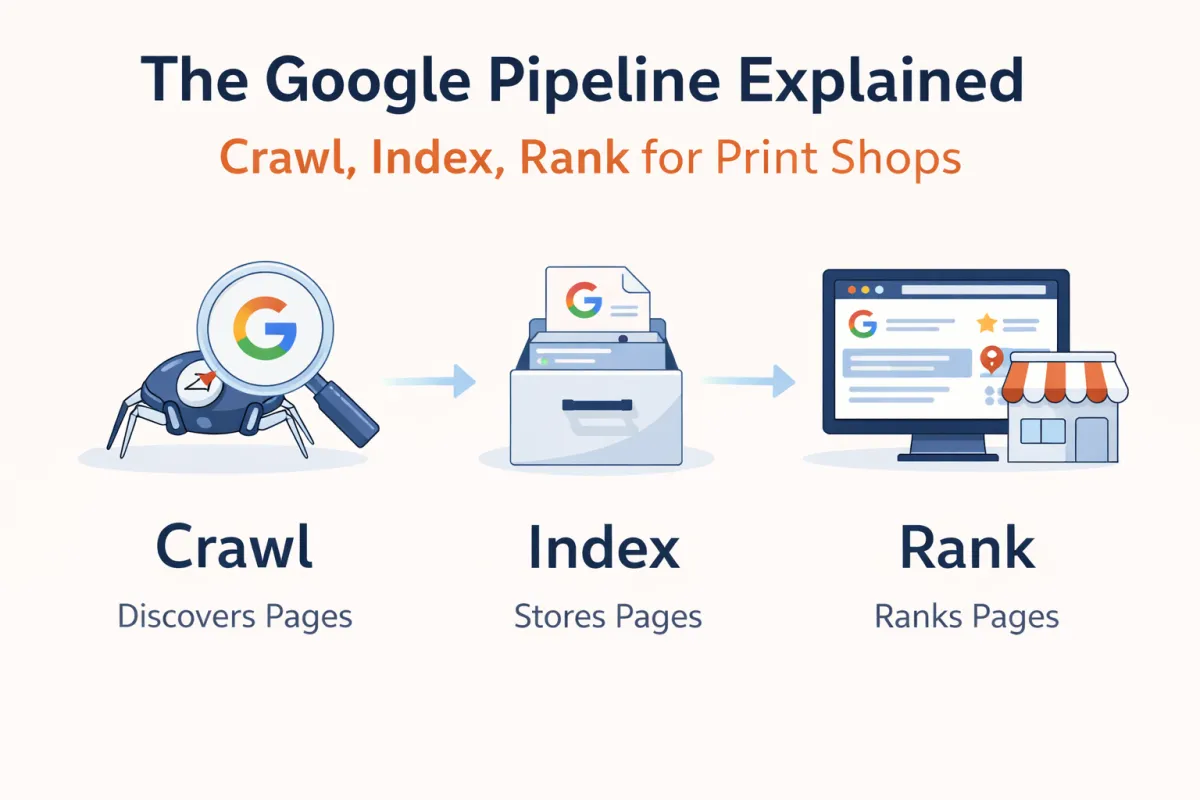
Crawl (Find it)→Index (Store it)→Rank (Show it)
The golden rule of SEO troubleshooting is this:"If Google can’t crawl it, it won’t index it. If it can’t index it correctly, it won’t rank it for the right searches."
A 30-Second Story
Imagine you launch a "UV DTF Cup Wraps" page.
1. If you don't link to it from your menu, Google's bot never finds it (Crawl fail).
2. If you copy the description exactly from a competitor, Google finds it but thinks "I already have this info" and throws it out (Index fail).
3. If you write unique content but don't include sizes, application instructions, or photos, Google keeps it but ranks it on Page 10 because it's not helpful (Rank fail).
Real-World Print Shop Scenarios 🏪
Scenario 1: "My gang sheets page isn't showing at all."
Diagnosis:This is likely a Crawl or Index issue. Check if the page is linked in your navigation. Then, check if you have accidentally set the page to "hidden" or "noindex" in your website platform settings.
Scenario 2: "My page is in Google, but it's on page 5."
Diagnosis:This is a Ranking issue. Google knows you exist, but it thinks 40 other shops are doing a better job. You need to improve your page quality—add better photos, clearer pricing, customer reviews, or more detailed FAQs.
Scenario 3: "Google shows my Home page when I want it to show my Pricing page."
Diagnosis:This is a Relevance issue. Your Pricing page might not be clear enough, so Google falls back to your Homepage because it views it as the most "authoritative" page on your site.
What This Means for Your Print Shop 🛠️
Stop worrying about "SEO hacks" or trying to trick the algorithm. Instead, align your work with Google's pipeline:
Make it easy to find:Ensure every important page is linked in your menu.
Make it easy to understand:Write clear titles and unique descriptions for every product.
Make it the best answer:Ask yourself, "Is this page actually more helpful than the guy ranking #1?"
Next Steps & Key Takeaways 🚀
You now know the process. Here is your checklist to get started:
✅Check your links:Ensure no important pages are "orphaned" (unlinked).
✅Review your sitemap:Make sure your platform (Shopify/WordPress) is generating one.
✅Avoid duplication:Don't just copy/paste product descriptions; write unique content.
✅Match intent:Ensure your product pages look like shops, and blog posts look like articles.
✅Be patient:Crawling and indexing can take days or weeks for new sites.
Ready to test if your pages are actually in Google? In the next article, we'll dive into the"Mini Lab"where I'll show you exactly how to run a diagnostic test on your own site.
Related Articles in This Series:
Meta Description Suggestion:Learn how Google's crawl-index-rank pipeline works with real DTF transfer and print shop examples. Understand why your pages aren't showing and how to fix it.
